🍿 Welcome to the family!
We appreciate your trust in SKI Solutions for your streaming experience.
🔔 Stay Updated: Check the social channel you ordered from for account updates.
🔐 Security: Passwords are refreshed monthly and shared instantly.
🔐 Security: Passwords are refreshed monthly and shared instantly.
Frequently Asked Questions
Device / TV is not part of the Netflix Household 📺
Netflix periodically asks for verification. It's a quick fix! Follow these steps:
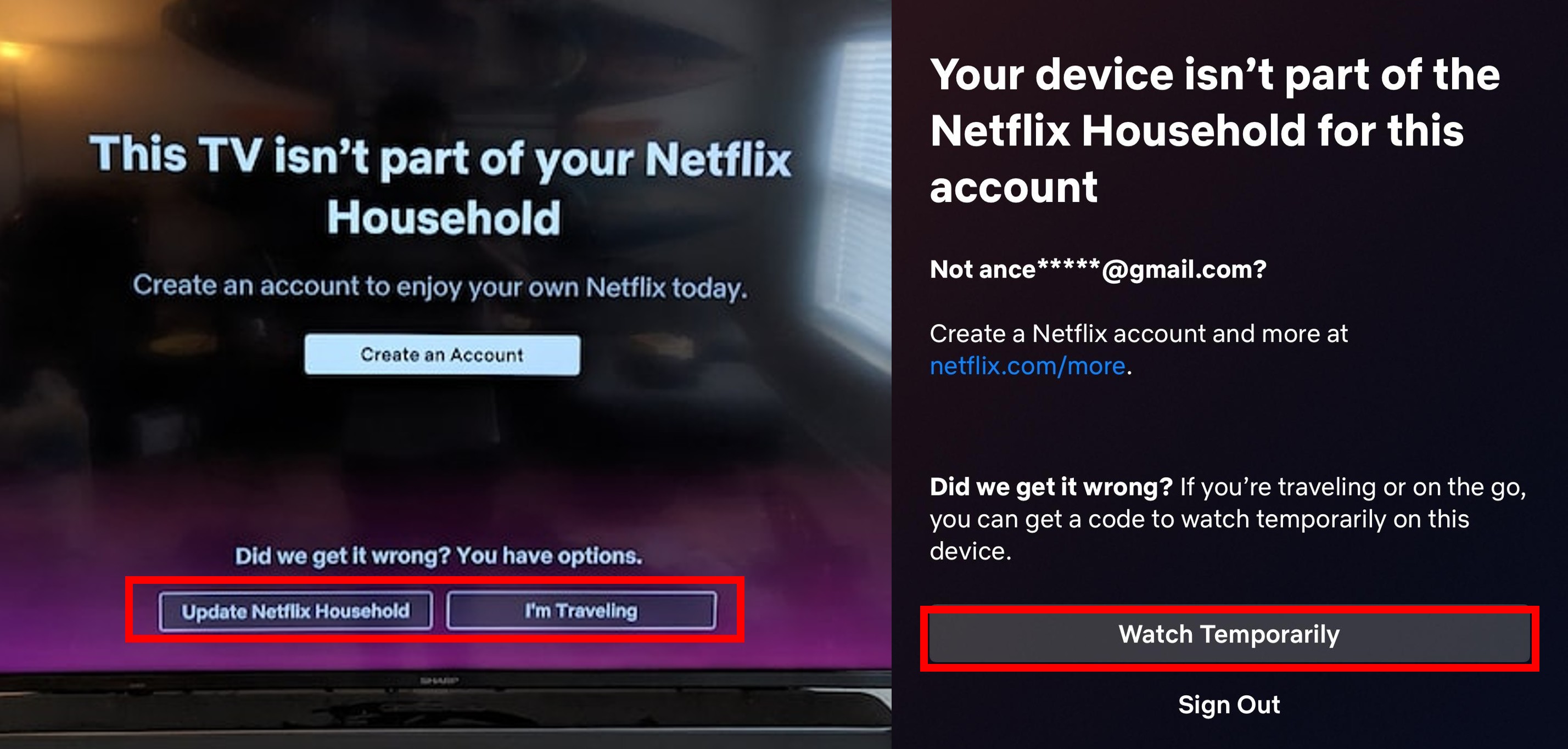
📱 Mobile / Laptop
- Click on "Watch Temporarily"
- Select "Send Email"
- Check your registered mail for access code or get it from our Inbox below
📺 Smart TV / Console
- Select "I'm Traveling" or "Update Household"
- Choose "Send Email"
- Check your registered mail for access code or instructions to update household or or get it from our Inbox below
Cannot login? Asking for login OTP.📵
Netflix says "Enter the code we sent to your mail"
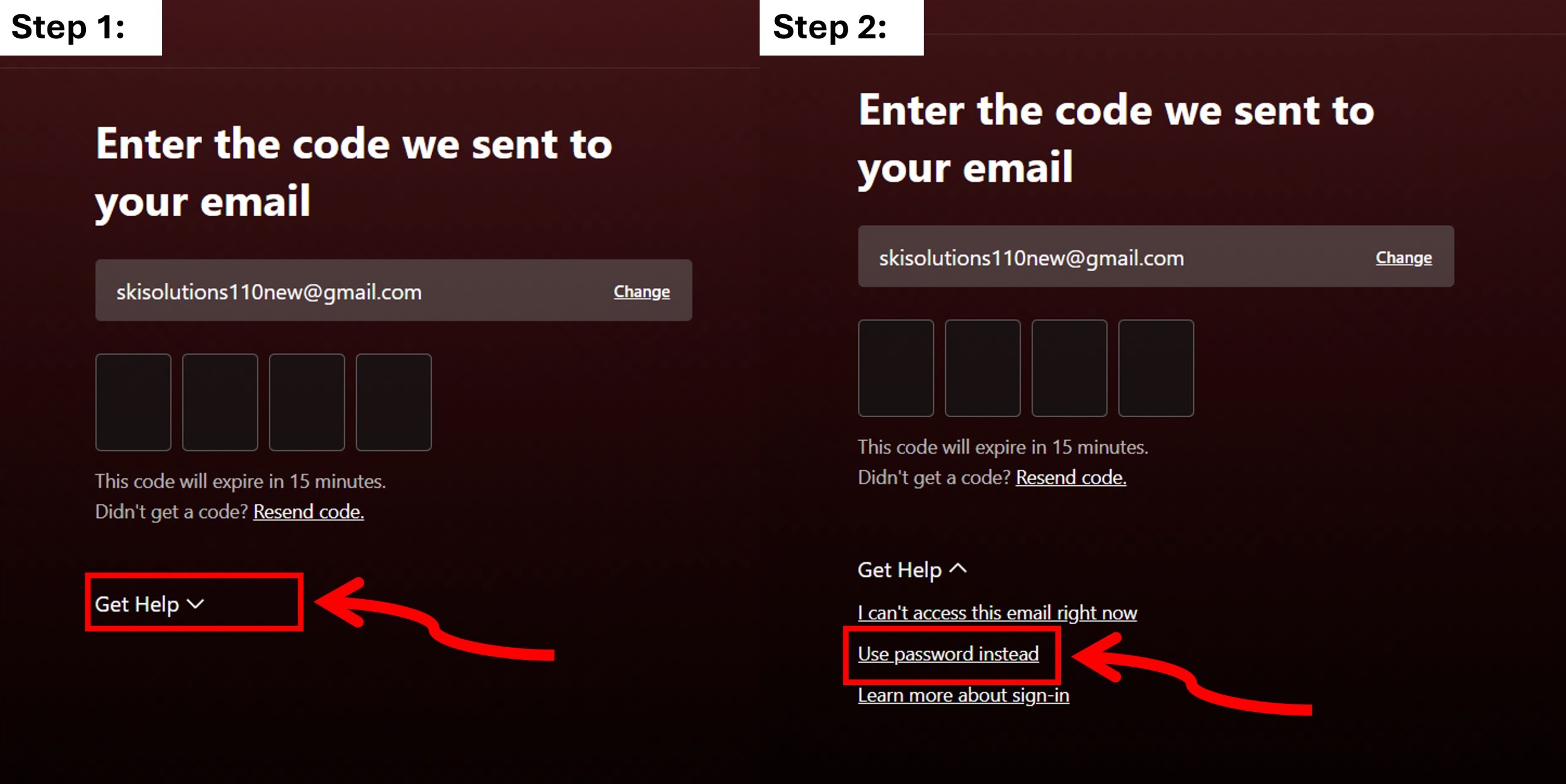
Simply follow the steps shown above:
- Click on "Get help".
- Click on "Use password instead".
- Enter password and login.
How do I get my Access Codes(OTP)/Household update mails? 🔑
You can retrieve your codes using two methods:
- Instant Web Inbox: Click the red button below to see incoming codes in real-time.
- Personal Email: Message us on Social Media to set up forwarding to your own email address.
Can I receive Access codeS(OTP)/household updates mail on my personal mail? 🔑
Yes, you can!
Please message us on our Social Media to set up forwarding to your own email address.